Getting Started
Home Dashboard
The Home dashboard is the first thing you see after logging in. It surfaces the most important signals across your event portfolio — upcoming events, recent activity, and key metrics — so you can orient quickly and jump to where you need to be.
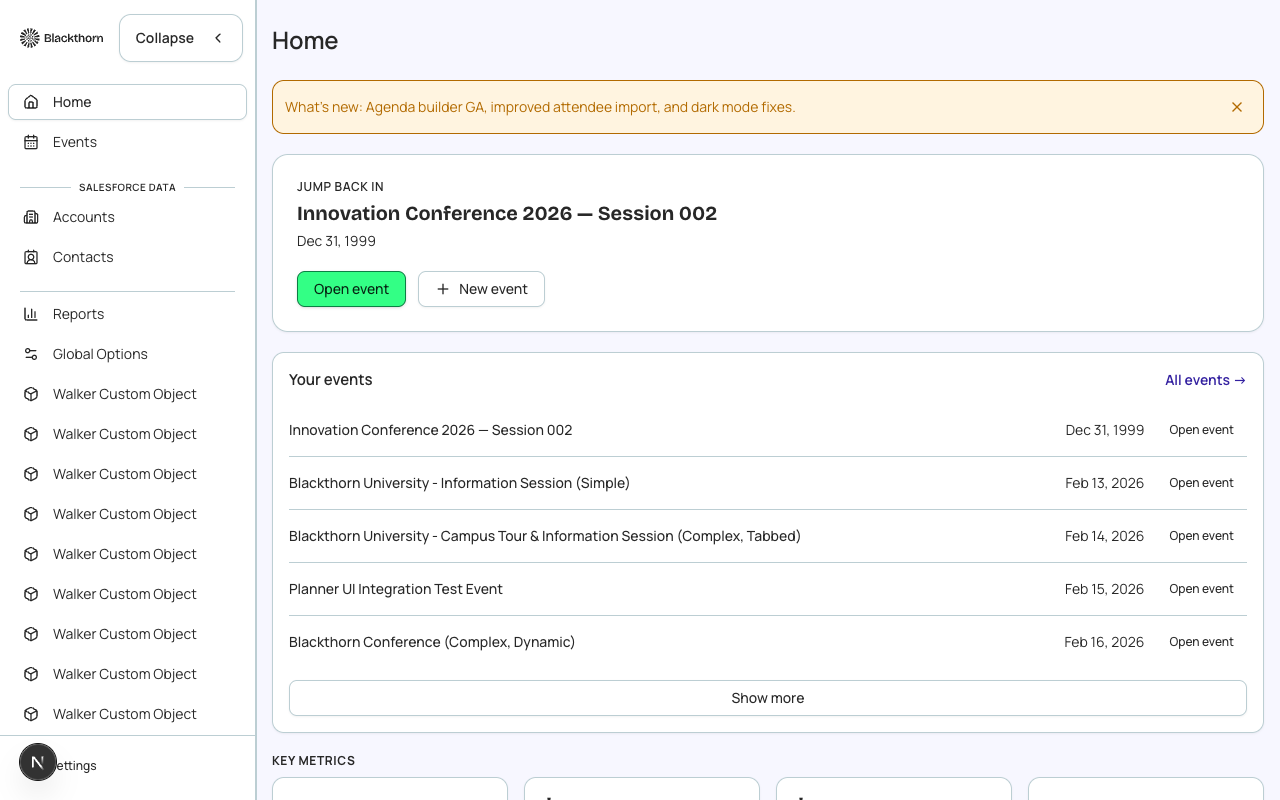
Dashboard tiles
The dashboard is composed of tiles. The tiles visible to you depend on your role and the features enabled for your org:
- Upcoming Events — a list of your next 5 events sorted by start date, with registration counts and status badges.
- Recent Activity — a feed of recent record changes: new registrations, status updates, payment events, and admin actions.
- Registration Today — a count of new registrations in the last 24 hours across all active events.
- Revenue MTD — month-to-date gross revenue across all events. Reconciles to Salesforce Transaction records.
- Events by Status — a summary breakdown: Draft, Active, Completed, Cancelled.
- Quick Create — shortcut buttons to create a new event, create a speaker, or create a sponsor.
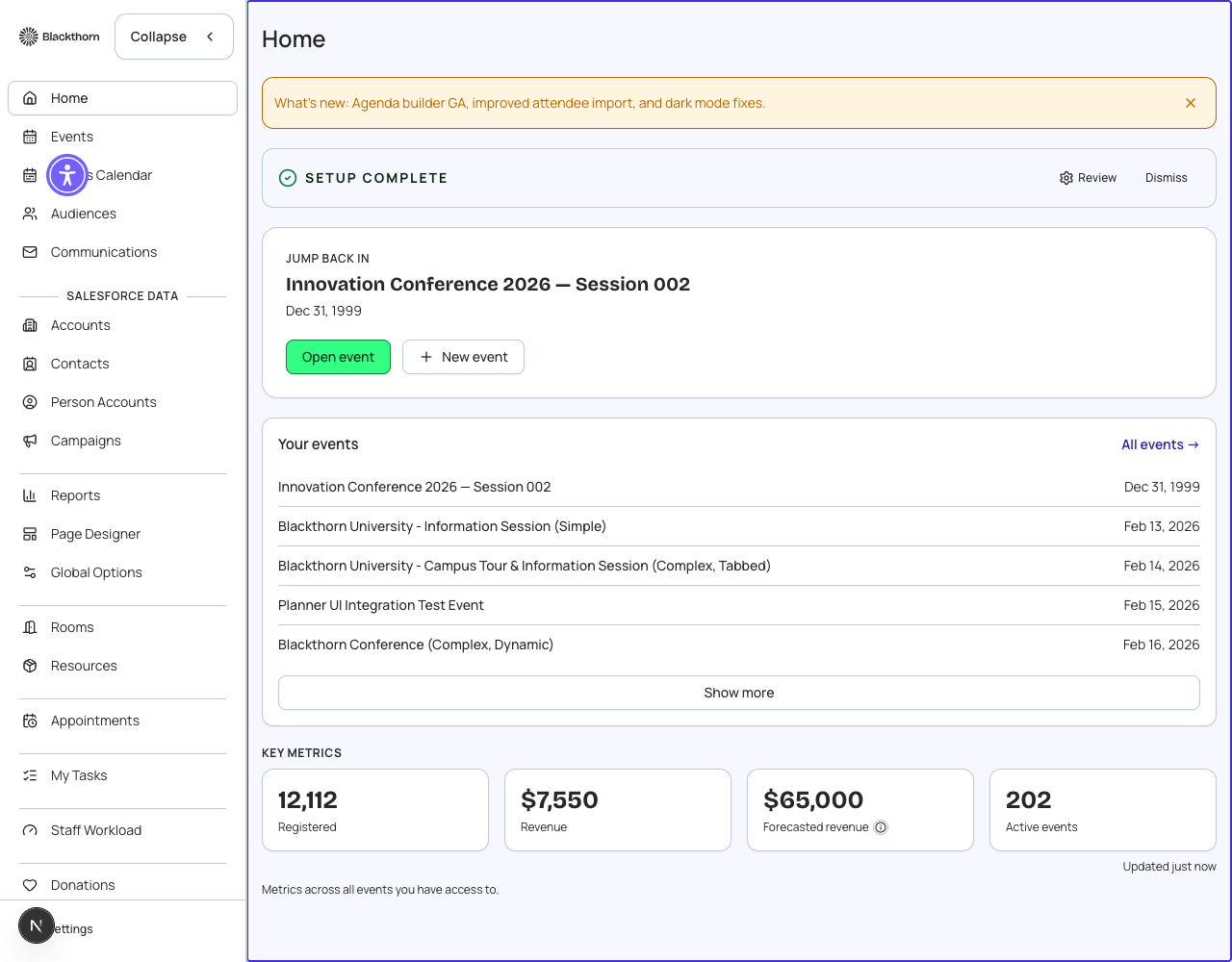
Navigating from the dashboard
Click any event card in the Upcoming Events tile to open that event's workspace directly. Click "View all events" to go to the full Events list. Use the Quick Create buttons to start creating a new record without leaving the dashboard.
Dashboard refresh
Dashboard metrics are fetched from Salesforce each time you navigate to the Home page. There is no auto-refresh — if you expect real-time updates during a live event, refresh the page manually or use the event's Attendees tab, which has a more frequent polling cycle.
Metrics sourced from Salesforce
All counts and revenue figures on the Home dashboard are computed from live Salesforce records. They match what you would see if you ran the equivalent SOQL query in Salesforce Workbench.