Reference
Global Options Reference
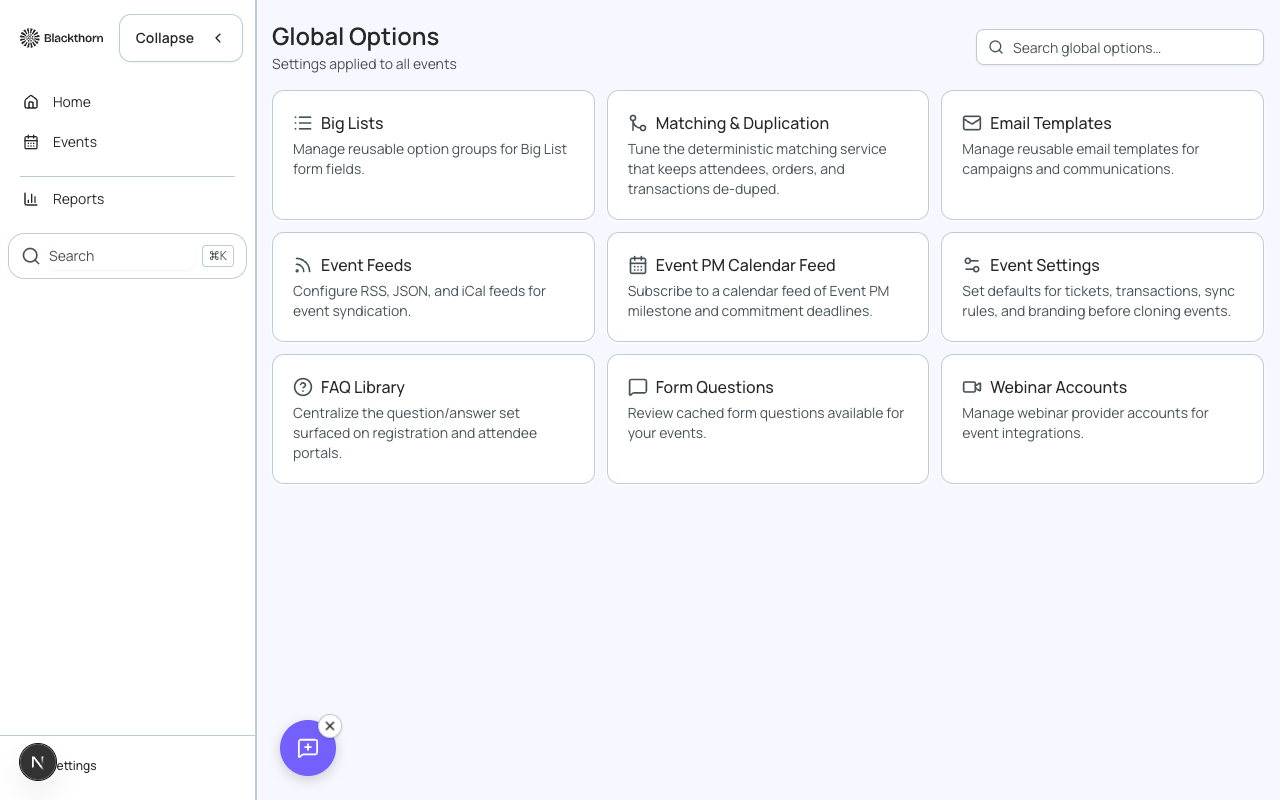
Global Options is the account-wide configuration hub for Forge. Settings here apply across all events unless overridden at the event level. Access it from the sidebar under your account name or via the gear icon in the bottom-left corner.
Organization Settings
| Setting | What it controls | Notes |
|---|---|---|
| Organization Name | The name of your organization shown in email footers, confirmation pages, and the Forge sidebar | Should match your official org name for brand consistency |
| Organization Logo | The default logo displayed in emails and on event pages that do not have an event-specific theme | Recommended: PNG or SVG, minimum 300px wide, transparent background |
| Organization Website | Your main website URL — linked from email footers | Include https:// |
| Default Timezone | Fallback timezone used for events that do not have a timezone explicitly set | Forge stores all dates in UTC; the timezone setting controls display only |
| Default Currency | The currency used for new events unless overridden at the event level | Changing this does not retroactively update existing events |
Email / Sender Configuration
| Setting | What it controls | Notes |
|---|---|---|
| From Name (Default) | Default sender display name for all outgoing emails | Overridable at the event level |
| From Email (Default) | Default From: address for all outgoing emails | Must be a domain-verified address |
| Reply-To Address | Where email replies are routed by default | Can be a support alias or CRM inbox |
| Email Provider | SendGrid, Salesforce Marketing Cloud, or other supported providers | API credentials are stored encrypted; never shown in the UI after saving |
| Domain Verification Status | Shows SPF, DKIM, and DMARC record status for your configured sending domain | Red/yellow indicators highlight missing or misconfigured DNS records |
Payment Gateways
Payment gateways are configured once and made available to all events. Multiple gateways can be configured — each event selects which gateway to use.
| Setting | What it controls | Notes |
|---|---|---|
| Gateway Name | A friendly label for this gateway configuration (e.g. 'Stripe — US Events') | Shown in the gateway picker on each event's settings |
| Gateway Provider | Stripe, Authorize.Net, PayPal, Spreedly, or TouchNet | Provider determines which credential fields appear |
| API Key / Credentials | The provider-specific API credentials | Credentials are encrypted at rest; never logged or exposed in the UI |
| Test Mode | When enabled, all charges use the gateway provider's sandbox environment | No real money is captured in test mode; disable before going live |
| Default Gateway | Marks this gateway as the account-wide default for new events | Individual events can override with a different configured gateway |
Card data never touches Forge
Forge does not collect, store, or log payment card numbers, CVV codes, or bank account details. All payment data is collected in an iframe provided by the gateway provider and transmitted directly to the gateway. Forge only receives a transaction token and status.
Themes
| Setting | What it controls | Notes |
|---|---|---|
| Theme Name | Label for this theme shown in the theme picker on event settings | |
| Primary Color | The main brand color used for buttons, links, and accents on event pages and emails | Hex color — must meet WCAG AA contrast ratio against white (4.5:1) for text usage |
| Secondary Color | Accent color for secondary UI elements | |
| Background Color | Page background color for the public event site | |
| Font | The typeface used for body text on event pages | Select from Forge's supported font list or enter a Google Fonts URL |
| Logo | Theme-specific logo override — overrides the organization logo for events using this theme | PNG/SVG recommended |
| Custom CSS | Additional CSS applied to all event pages using this theme | Use sparingly; test across breakpoints |
Rooms and Resources
Rooms and Resources (beta) lets you define physical spaces and A/V equipment that can be assigned to sessions. Rooms are stored as a custom record type and linked to sessions via conference360__Room__c on the Session object.
| Setting | What it controls |
|---|---|
| Room Name | The display name of the room (e.g. 'Main Stage', 'Breakout A') |
| Capacity | Maximum number of attendees the room can hold |
| Location | The physical location description or building/floor reference |
| Resources | A/V equipment or amenities associated with this room (e.g. projector, whiteboard, catering) |
Salesforce Connection
| Setting | What it controls | Notes |
|---|---|---|
| Connected Org | The Salesforce org that Forge is currently connected to | Displayed as the org domain (e.g. yourorg.my.salesforce.com); connection is managed via OAuth |
| Connection Status | Shows whether Forge has a valid OAuth token for the connected org | If Disconnected, re-authenticate via the Re-connect button |
| API User | The Salesforce user account used for all Forge API calls | This user needs access to all Blackthorn managed package objects; a dedicated integration user is recommended |
| Namespace Prefix Detection | Shows which Blackthorn managed packages are detected in the connected org | Forge automatically detects conference360__, bt_stripe__, bt_base__, and bt_fundraising__ namespaces |
OAuth token management
Forge stores a single encrypted OAuth refresh token per connected Salesforce org in its Postgres database. Access tokens are short-lived, cached in Redis, and never stored permanently. If the connected user's permissions change, re-authenticate to refresh the token.