Core Concepts
Events and the Workspace
An event is the top-level record in Forge. Everything else — tickets, sessions, attendees, speakers, forms, communications — belongs to an event. The event workspace is the tabbed interface where you manage all of that from one place.
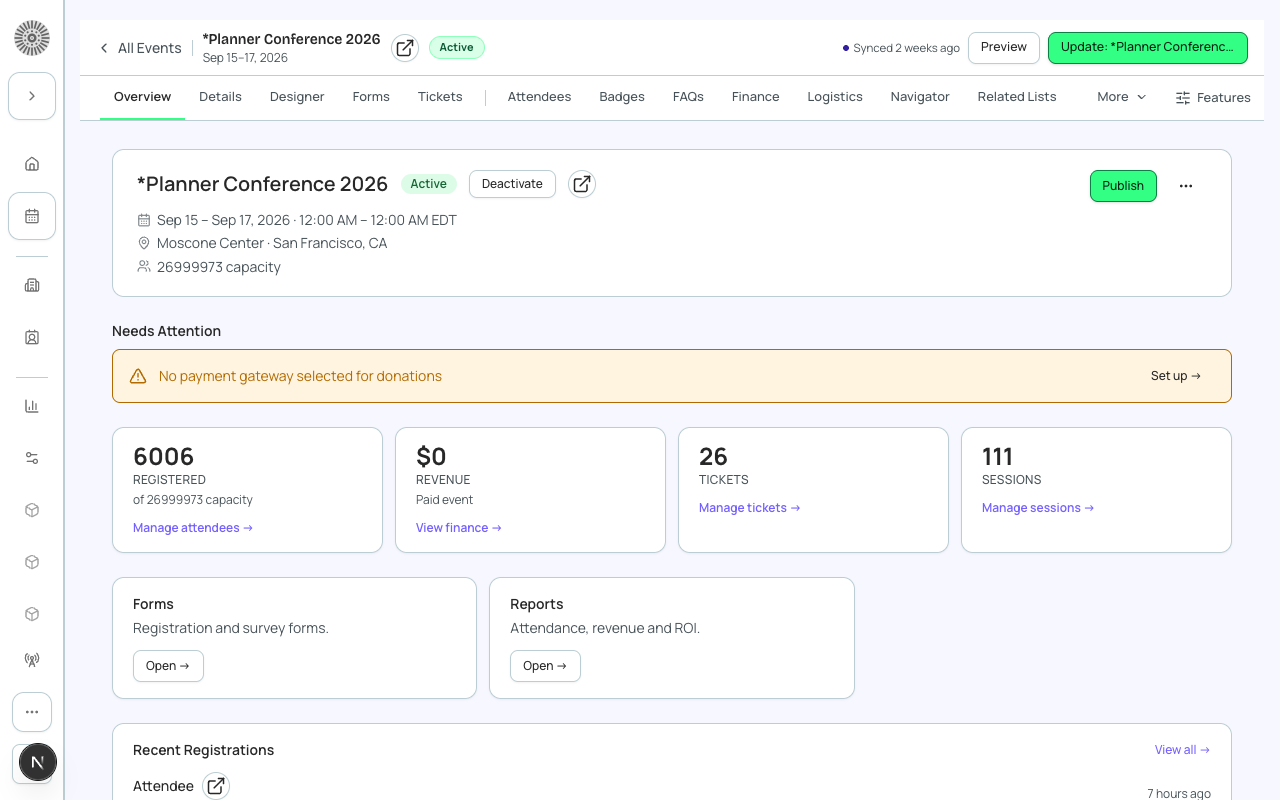
Event record fields
Salesforce Field Mapping
| Forge | SF Object | SF Field |
|---|---|---|
| Event name | conference360__Event__c | Name |
| Start date / End date | conference360__Event__c | conference360__Event_Start_Date__c / conference360__Event_End_Date__c |
| Location type (Virtual / Venue / Hybrid) | conference360__Event__c | conference360__Location_Type__c |
| Status (Draft / Active / Completed / Cancelled) | conference360__Event__c | conference360__Status__c |
| Capacity | conference360__Event__c | conference360__Maximum_Attendees__c |
| Publicly visible | conference360__Event__c | conference360__Visible__c |
| Hide register button (manual approval) | conference360__Event__c | conference360__Hide_Register_Button__c |
Event workspace tabs
The workspace tab bar adapts to your event configuration. Core tabs are always present; feature tabs appear when the relevant feature is active or opt-in.
- Overview — registration link, event summary, quick stats.
- Event Info — all event-level fields: name, dates, location, description, capacity, registration settings.
- Tickets & Items — create and manage ticket tiers, pricing, quantities, and fees.
- Attendees — view, filter, search, check in, export, and bulk-action attendees.
- Sessions — manage breakout sessions, assign rooms, and control enrollment.
- Speakers — link speakers to sessions, manage bios, and send portal invitations.
- Sponsors — add sponsors, assign tiers, and manage portal access.
- Forms — build and configure registration forms.
- Communications — compose and schedule email messages to audience segments.
- Page Designer — customize the public registration page layout and branding.
- Location — configure venue address, map, and hotel room block details.
- Finance — revenue snapshot, transaction list, refund management.
- Reporting — registration funnel, attendance metrics, session popularity.
- Related Lists — standard Salesforce related lists for the event record.
Registration modes
| Mode | Visible | Hide Register Button | Description |
|---|---|---|---|
| Public | true | false | Anyone with the link can see and register for the event. |
| Invite-only | false | false | Event is not listed publicly; only people with the direct link can register. |
| Manual approval | false | true | Event is not listed; the Register button is hidden; attendees must be added manually by an admin. |
Creating an event
Forge offers three creation modes:
- Magic — an AI-assisted wizard. Describe your event in plain language and Forge pre-fills the fields. You review and adjust before saving.
- Ol' Faithful — a traditional form with all fields. Best for experienced planners who want full control from the start.
- Clone — copies an existing event (including tickets and forms) as a starting point.
Events create Salesforce records
Creating an event in Forge creates a conference360__Event__c record in Salesforce. Cloning an event copies all child records (tickets, forms, form elements) as new Salesforce records — it does not copy attendees or transactions.