Admin
Object Mapping
Object Mapping lets administrators surface custom Salesforce objects in the Forge navigation sidebar, so your team can manage related records — such as custom sponsorship contracts, venue agreements, or program curricula — without leaving Forge. This feature is in beta and available only to org admins.
Beta feature
Object Mapping is currently in beta. The available navigation slots and the depth of field control will expand in future releases. Enable it via the /beta page.
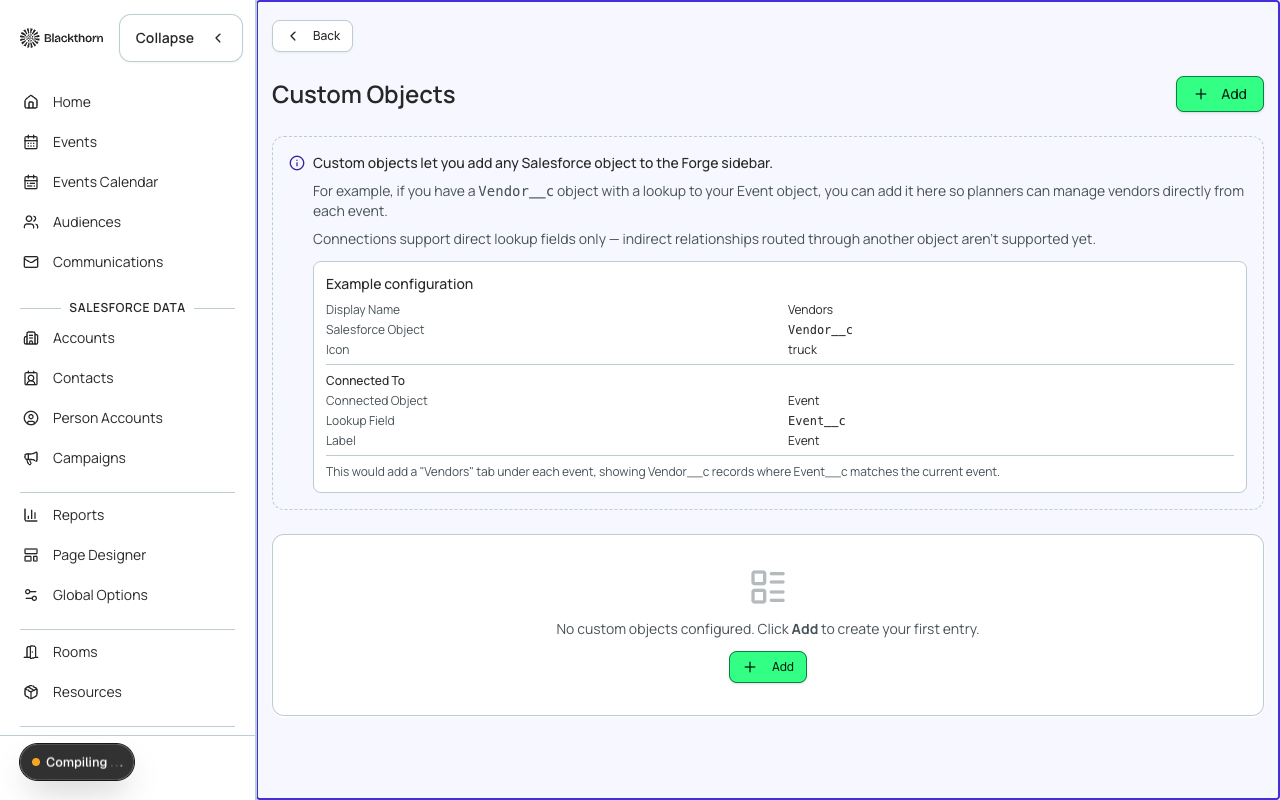
What Object Mapping does
For each mapped object, Forge adds a navigation item to the global sidebar. Clicking that item opens a list view of records from the Salesforce object. Users with the appropriate Forge profile and Salesforce CRUD/FLS permissions can view, create, and edit records inline.
Mapping a custom object
- Go to Admin → Object Mapping and click Add Mapping.
- Enter the Salesforce API name of the object (e.g., My_Namespace__Venue__c).
- Forge validates the object exists and the connected Salesforce org user has read access.
- Enter a display label for the sidebar (e.g., "Venues").
- Select which fields to show in the list view (up to 6 columns).
- Select which fields appear on the create/edit form.
- Choose the sidebar section where the link should appear (Primary or Secondary navigation).
- Click Save. The nav item appears immediately for users with Admin or Event Manager profiles.
Constraints
- Forge can only map objects the connected Salesforce user profile has access to. Check CRUD and FLS settings in Salesforce Setup if a mapped object does not load correctly.
- Forge enforces Salesforce field-level security — fields hidden by FLS in Salesforce will not appear in Forge even if configured.
- Only custom objects and the supported standard Salesforce objects (Campaign, CampaignMember) are eligible for mapping. Core Blackthorn managed-package objects are surfaced via dedicated Forge tabs, not Object Mapping.
- Deleting a mapping removes the sidebar link but does not delete any Salesforce records.
Object Mapping reads and writes through the same Salesforce API connection used for all Forge operations. Every write is subject to Salesforce validation rules, triggers, and workflow automation on the target object.