Admin
Admin Overview
The Admin section is your control room for Forge. Here you configure payment gateways, define which Salesforce objects Forge surfaces, control field visibility, manage users and their permission profiles, and access platform-level logs and audit records.
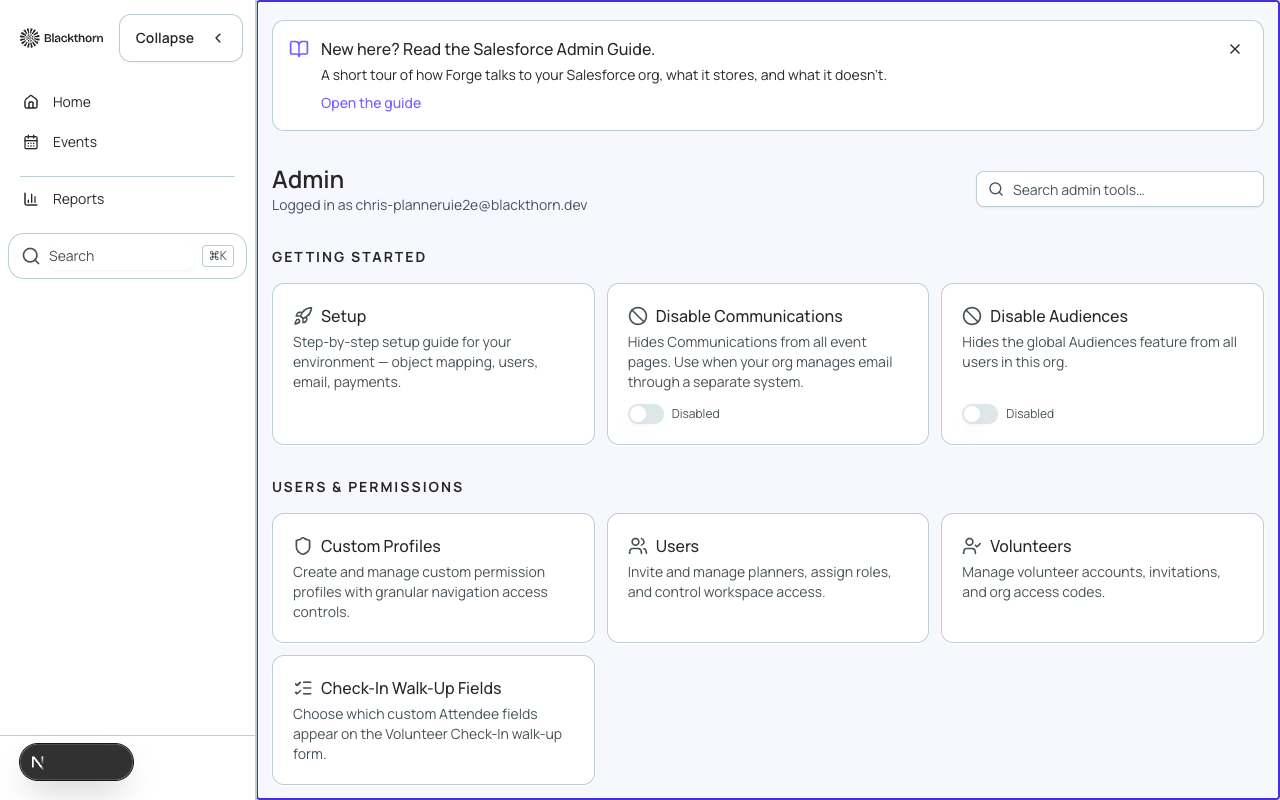
Admin sections at a glance
| Section | What you configure |
|---|---|
| Profiles | Named permission sets that control which Forge features each user can access. |
| Payment Gateways | Stripe and Authorize.Net gateway credentials; assign gateways to events. |
| Object Mapping | Map custom Salesforce objects to Forge navigation items (beta). |
| Record Layouts | Control which fields appear in event-setup wizards and forms. |
| Housing Providers | Connect Passkey or MeetingMax for hotel-block management (beta). |
| Org Settings & MDM | Detect NPSP/NPC/EDA giving data models; adjust bridge fields (beta). |
| Users & Accounts | Invite users, assign profiles, suspend or remove access. |
| Logs & Audit | View API call logs, webhook delivery logs, and user-action audit records. |
Who can access Admin
Admin pages require the Forge system administrator profile (or an equivalent profile with the Admin permission granted). Individual sections can be locked to specific profiles — for example, you might allow a finance manager to view payment gateways without granting full Admin access.
Changes made in Admin apply across your entire Forge org, not just a single event. Test configuration changes in a sandbox org before applying them to production.