Event Tour
Event Info
Event Info is where you configure the foundational settings for an event — name, dates, location type, registration mode, capacity, and branding. Changes here cascade to the public registration page and to the underlying Salesforce record in real time.
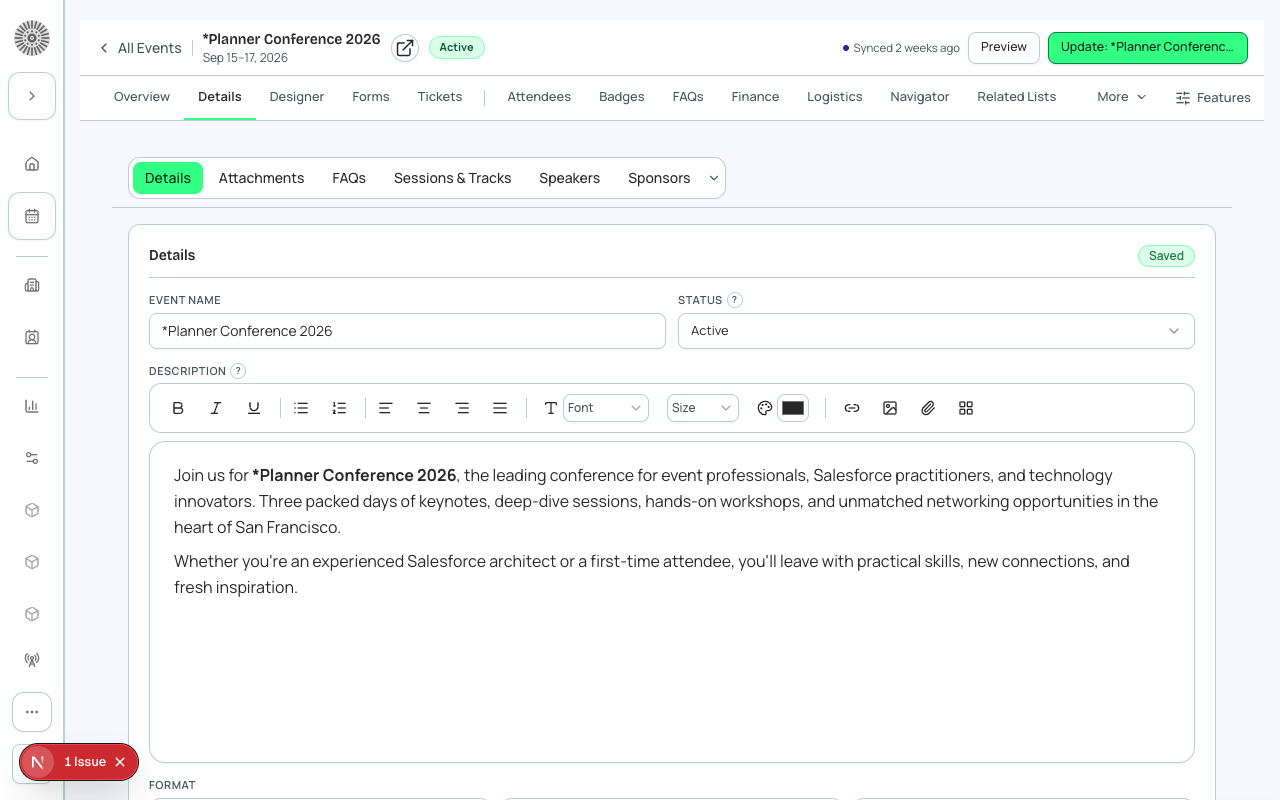
Basic Details
- Event Name — shown on the registration page, confirmation emails, and calendar invites.
- Start Date / End Date — controls when the event appears as 'upcoming' vs. 'completed'. Stored in UTC.
- Description — rich-text description displayed on the registration page below the event title.
- Event Image — header image for the registration page and email templates.
Location Type
Choose how attendees will participate. This setting affects what fields appear on the registration page and in confirmation emails.
| Location Type | Registration page shows | Salesforce value |
|---|---|---|
| Virtual | Webinar link (revealed after registration) | Virtual |
| In Person (Venue) | Venue name and address; link to map | Venue |
| Hybrid | Both — attendee selects their mode | Hybrid |
Registration Mode
Choose how people can register for your event. Three modes are available:
| Mode | How it works | SF fields used |
|---|---|---|
| Public | Anyone with the link can register. Event appears in the events directory. | conference360__Visible__c = true |
| Invite-Only | Only people who receive a direct invite link can register. Not in the directory. | conference360__Visible__c = false |
| Manual / Offline | Registration page is hidden entirely. Organizer adds attendees manually in Forge. | conference360__Visible__c = false + conference360__Hide_Register_Button__c = true |
Capacity Settings
Set the maximum number of attendees. When capacity is reached, the event automatically switches to Waitlist mode — new registrants are added to a waitlist queue and promoted automatically when a spot opens up.
- Leave Maximum Attendees blank for unlimited capacity.
- Each ticket type can also have its own quantity limit (set in Tickets & Items).
- Waitlist is per-event, not per-ticket-type, unless ticket-level capacity is also set.
- Waitlist positions are promoted in FIFO order unless manually reordered.
Event Group
Optionally assign this event to an Event Group. The group appears as a breadcrumb on the registration page and in Forge's event lists. One event can belong to one group.
Timezone
Set the event's local time zone. Start and end times are stored in UTC in Salesforce and converted for display using this setting. Registrants see times in the event's time zone on the registration page and in confirmation emails.
| Forge | SF Object | SF Field |
|---|---|---|
| Event Name | conference360__Event__c | Name |
| Start Date | conference360__Event__c | conference360__Event_Start_Date__c |
| End Date | conference360__Event__c | conference360__Event_End_Date__c |
| Location Type | conference360__Event__c | conference360__Location_Type__c |
| Visible (public) | conference360__Event__c | conference360__Visible__c |
| Hide Register Button | conference360__Event__c | conference360__Hide_Register_Button__c |
| Capacity | conference360__Event__c | conference360__Maximum_Attendees__c |