Event Tour
Related Lists
The Related Lists tab surfaces additional Salesforce objects related to this event that do not have their own dedicated tab in the event workspace. It is a flexible, read/write view of the raw Salesforce data — useful for admins and power users who need access to fields and records not otherwise exposed in the Forge UI.
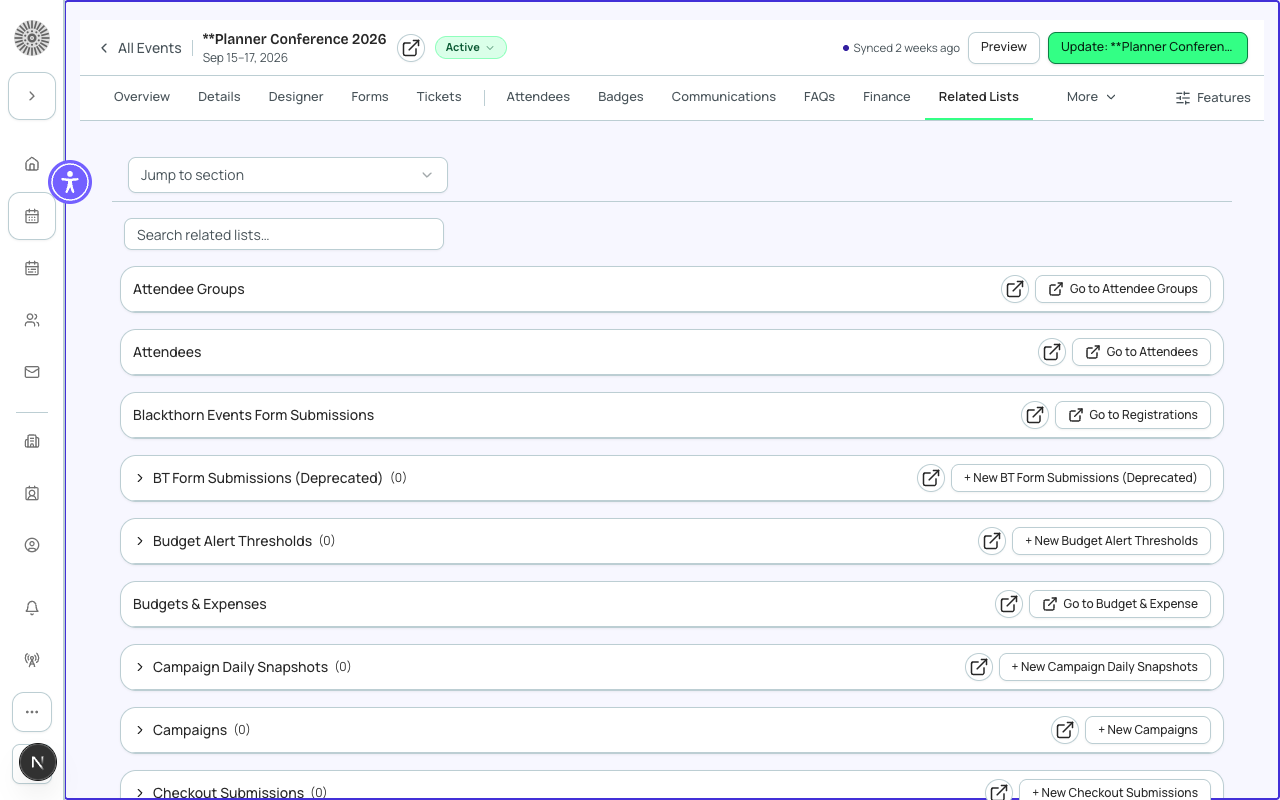
Common Related Lists
| List | Salesforce Object | What you can do |
|---|---|---|
| Campaigns | Campaign (standard) | View and link the Salesforce Campaign associated with this event. Useful for marketing attribution. |
| Fees | bt_stripe__Fee__c | View processing fees configured for this event. Override global defaults. |
| Invoices | bt_stripe__Sales_Document__c | View all orders as invoices. Download PDF invoices per order. |
| Visibility Rules | bt_base__Rule__c | View and edit conditional visibility rules applied to tickets and form elements for this event. |
| Event Resources | conference360__Resource__c | View A/V equipment, tables, and other resources assigned to the event (beta). |
| Email Logs | conference360__Email_Log__c | View a log of every automated email sent for this event and its delivery status. |
How to Use Related Lists
- Each section in the Related Lists tab is collapsible — expand the one you need.
- Records are shown in a table with the most useful fields. Columns are not configurable from the UI (column set is defined per object in admin field mapping).
- Click any row to open the detail panel. From the detail panel you can edit fields, follow Salesforce links, and see the full field history.
- Click the Salesforce link icon on any row to jump directly to that record in Salesforce for full field access.
Adding Records
Some related lists support creating new records directly from the Related Lists tab. For example, you can add a new Fee or create a new Visibility Rule without leaving Forge. Lists that support creation show an 'Add' button in the section header.
Records tab vs Related Lists tab
The global Records zone in the sidebar shows all object records across your workspace. The Related Lists tab inside an event shows only records related to that specific event. Use Related Lists for event-scoped admin work; use the global Records zone for workspace-wide data inspection.
Data access note
Related Lists queries run against your live Salesforce org in real time. All Salesforce field-level security and sharing rules apply — you will only see records and fields your SF profile has access to.