  • How Beta Works
  • Badges (Beta)Beta
  • Tables and Seating (Beta)Beta
  • Checkout Flow (Beta)Beta
  • Portals (Beta)Beta
  • Giving Data Models (Beta)Beta
  • Communications Orchestration (Beta)Beta
  • Webinar Minutes → Legacy Video Field
  • Authoritative Donation Pricing
  • Authoritative Auction Pricing
  • Authoritative Checkout Pricing
  • Data DictionaryBeta
  • RoadmapBeta
  • CampaignsBeta
  • Custom ProfilesBeta
  • Payment GatewaysBeta
  • Recurring EventsBeta
  • ROI DashboardBeta
  • NavigatorBeta
  • Advanced VisibilityBeta
  • AudiencesBeta
  • FeesBeta
  • InvoicesBeta
  • Org Events CalendarBeta
  • Custom Report BuilderBeta
  • Kiosk Check-InBeta
  • TranslationsBeta
  • Budget Insights & AlertsBeta
  • Attendee/Contact Opt-In Sync
  • Related Contact Notifications
  • Localized Attendee Emails
  • Form Heading Translations
  • Custom Objects in SidebarBeta
  • Accounts & ContactsBeta
  • Volunteer Check-inBeta
  • Google Wallet Passes
  • Group Registration Forms
  • Register on Behalf Of
  • Bulk Contact Tagging
  • Group Invoice Statement
  • Beacon
  • Native Webinar OAuth
  • Audience Segments
  • Template Gallery
  • Push Notifications
  • Public Donation Pages
  • Secondary Ticket Codes
  • Barcode Management
  • SMS
  • New Checkout Experience
  • Attendee Meetups
  • Coming Soon

Beta & Experimental Features

Custom Objects in Sidebar

Early AccessManage on the Beta Features page

Adds a sidebar navigation link for a configured custom Salesforce object, so tenants who rely on custom objects can reach them directly from the left nav instead of only through Salesforce or a related list.
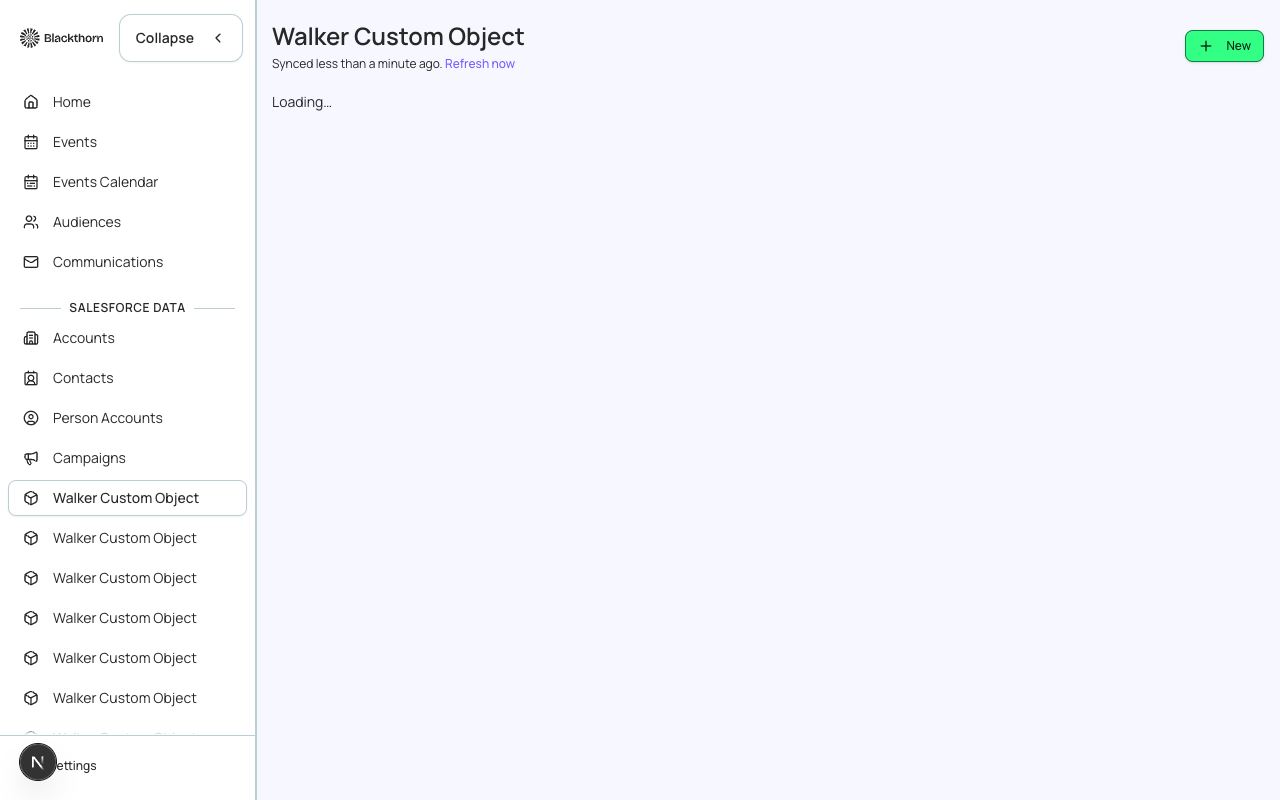
The sidebar's Salesforce Data section, showing a custom object added as a navigation link.
← PreviousMobile Spotter
Next →Attendee Materials & Certificates