Beta & Experimental Features
Giving Data Models (Beta)
In DevelopmentManage on the Beta Features pageGiving Data Models is an admin-level beta feature that detects which nonprofit data model is installed in your Salesforce org — NPSP, Nonprofit Cloud (NPC), or Education Cloud (EDA) — and configures Forge's donation and auction sync behavior accordingly.
Beta feature — Admin only
Giving Data Models is a beta feature for Forge administrators. Enable it on the /beta page (Admin Section). It affects how donation and auction transactions are synchronized into your Salesforce nonprofit data model. Changes here can affect your existing Salesforce data flows — review with your Salesforce admin before enabling.
What it does
Organizations using Salesforce for fundraising typically have one of three nonprofit data models installed alongside the Blackthorn packages: NPSP (Nonprofit Success Pack), Nonprofit Cloud (NPC), or Education Cloud (EDA) with EDA-specific giving objects. Without configuration, Forge writes donation transactions only to bt_fundraising__ objects. With Giving Data Models enabled, Forge can additionally project those transactions into the appropriate standard objects for your model — creating Opportunities, Opportunity Contact Roles, or Recurring Donation records as appropriate.
- Automatic detection of NPSP, NPC, or EDA installation in your Salesforce org
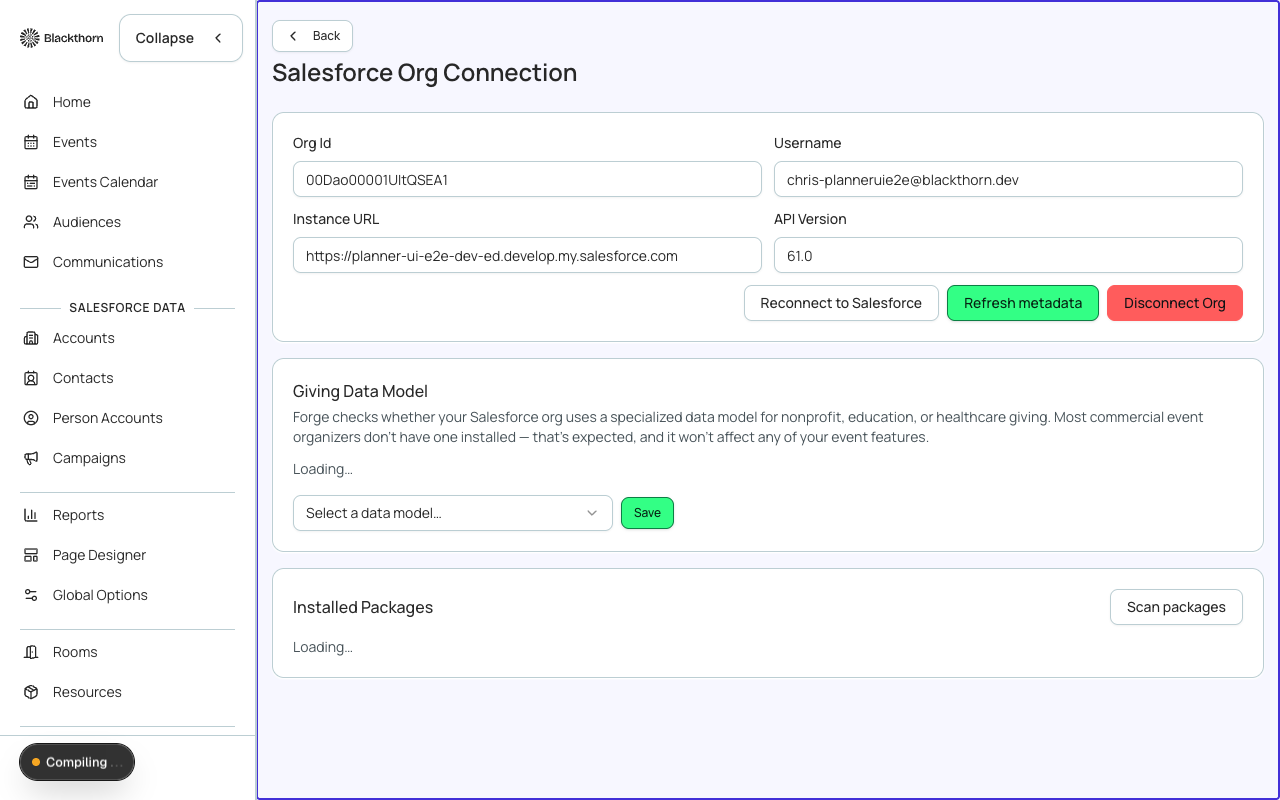
- Configuration panel showing detected model and which bridge fields are active
- NPSP: projects bt_fundraising__Donation__c to npe01__OppPayment__c and Opportunity with NPSP record types
- NPC: projects to Opportunity and RecurringDonation with NPC field mappings
- EDA: detects Education Cloud-specific giving objects and configures appropriate sync
- Dynamic bridge fields surface in org settings when a supported model is detected
- Manual override: if detection is incorrect, administrators can force the model selection
How to enable
- Go to /beta and scroll to the Admin Section. Toggle Giving Data Models on.
- Navigate to Admin in the Forge sidebar, then select Giving Data Models.
- Forge will run a detection check against your Salesforce org to identify the installed data model.
- Review the detected model and the bridge field configuration Forge proposes.
- If the detection is correct, click Activate Sync. If not, use the manual override to select the correct model.
- Test the sync by creating a test donation and verifying the resulting Salesforce records in both bt_fundraising__ objects and the target nonprofit objects.
- Contact Blackthorn Support if your model combination is not listed or if sync fails.
Supported model combinations
| Model | Detection method | Forge creates |
|---|---|---|
| NPSP | npe01__OppPayment__c object presence | Opportunity + npe01__OppPayment__c + Opportunity Contact Role |
| Nonprofit Cloud (NPC) | npe03__Recurring_Donation__c or NPC package namespace | Opportunity + RecurringDonation (NPC) + Payment |
| Education Cloud (EDA) | EDA namespace (hed__) presence | Opportunity with EDA-appropriate record type |
| None / Standard | No nonprofit namespace detected | bt_fundraising__Donation__c only (default) |
Salesforce note
Detection queries run at admin page load time using SOQL against the DescribeSObject API to check for namespace-specific objects. No Salesforce metadata is modified by the detection step. Bridge field sync is implemented through Forge's managed CRUD executor and respects CRUD/FLS permissions.
Existing data not backfilled
Activating Giving Data Models sync only affects donations and auction transactions created after activation. Existing bt_fundraising__Donation__c records are not backfilled into NPSP/NPC/EDA objects. If you need historical data migration, work with your Salesforce admin to run a data migration separately.
Current limitations
- Simultaneous NPSP + NPC installation is not supported — choose one model.
- EDA sync covers the most common giving objects but may not cover all EDA-specific customizations.
- The detection check requires your connected Salesforce user to have DescribeSObject API access.
- Giving Data Models is admin-only — individual event managers cannot change model settings.
- Recurring donation projection into NPC RecurringDonation objects requires NPC version 4.0 or later.
- Soft credits (bt_fundraising__Donation_Soft_Credit__c) are not yet projected into NPSP Partial Soft Credit objects in this beta.